1 min readVersion française
Azure Policy: customizing the Deny error message
How to define a clear and actionable error message in an Azure Policy Deny to guide the user instead of blocking them without explanation.

Contents
By default, when an Azure Policy blocks an operation, the returned message is generic and hard to act on.
The problem#
To illustrate this, I created a simple policy that prevents the creation of a public IP address.
{
  "policyRule": {
    "if": {
      "field": "type",
      "equals": "Microsoft.Network/publicIPAddresses"
    },
    "then": {
      "effect": "Deny"
    }
  },
  "versions": ["1.0.0"]
}
The default error looks like this:
Resource 'test-pip' was disallowed by policy. (Code: RequestDisallowedByPolicy, Policy(s): deny-public-ip-assignment
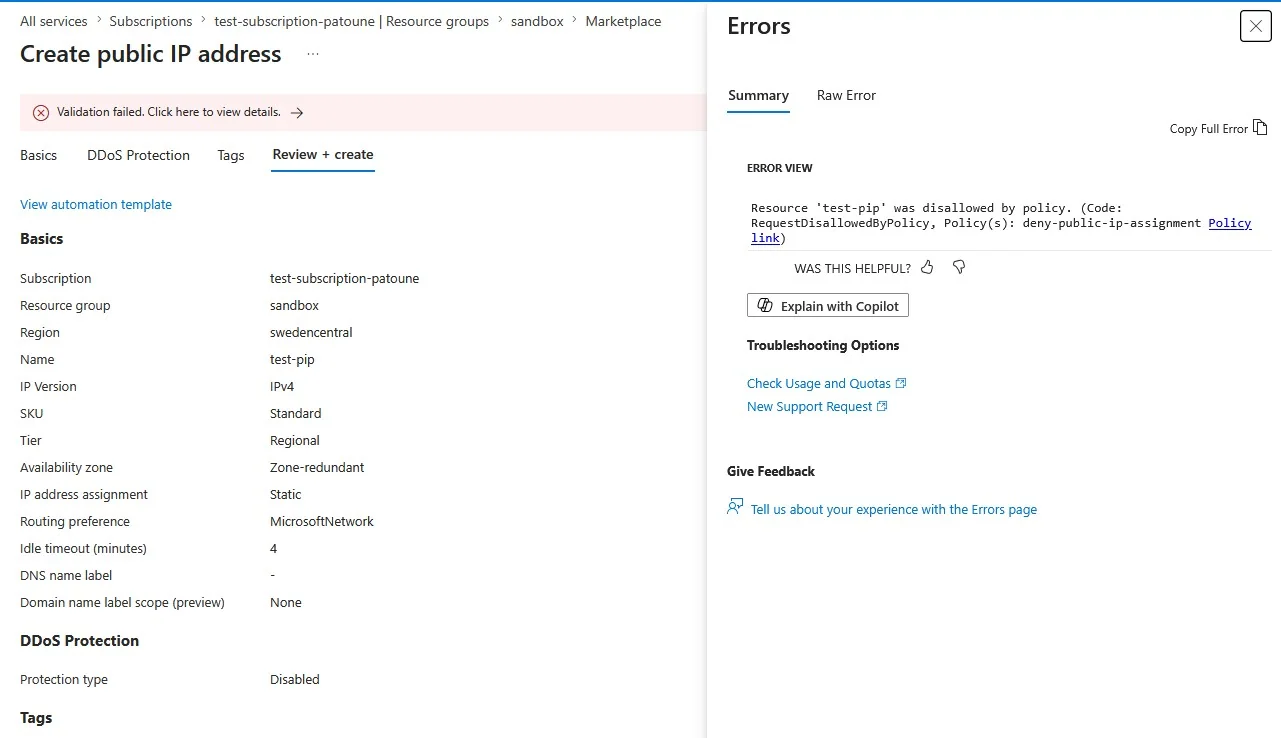
No context, no alternative, no indication of what to do next. This is frustrating for the user and generates unnecessary tickets for the platform team.
Adding a non-compliance message#
When assigning the policy, I added a message to explain why it blocks the creation of a public IP address.
This is done simply by adding a message during the policy assignment:
$msg = @(@{Message ="The publicIP are disallowed for this subscription. Please contact your platform team."})

New-AzPolicyAssignment -Name "deny-public-ip-assignment" -PolicyDefinition $definition -Scope "/subscriptions/$sub" -NonComplianceMessage $msg
Where the message appears#
When attempting to create a Public IP again, you can see the message has changed:
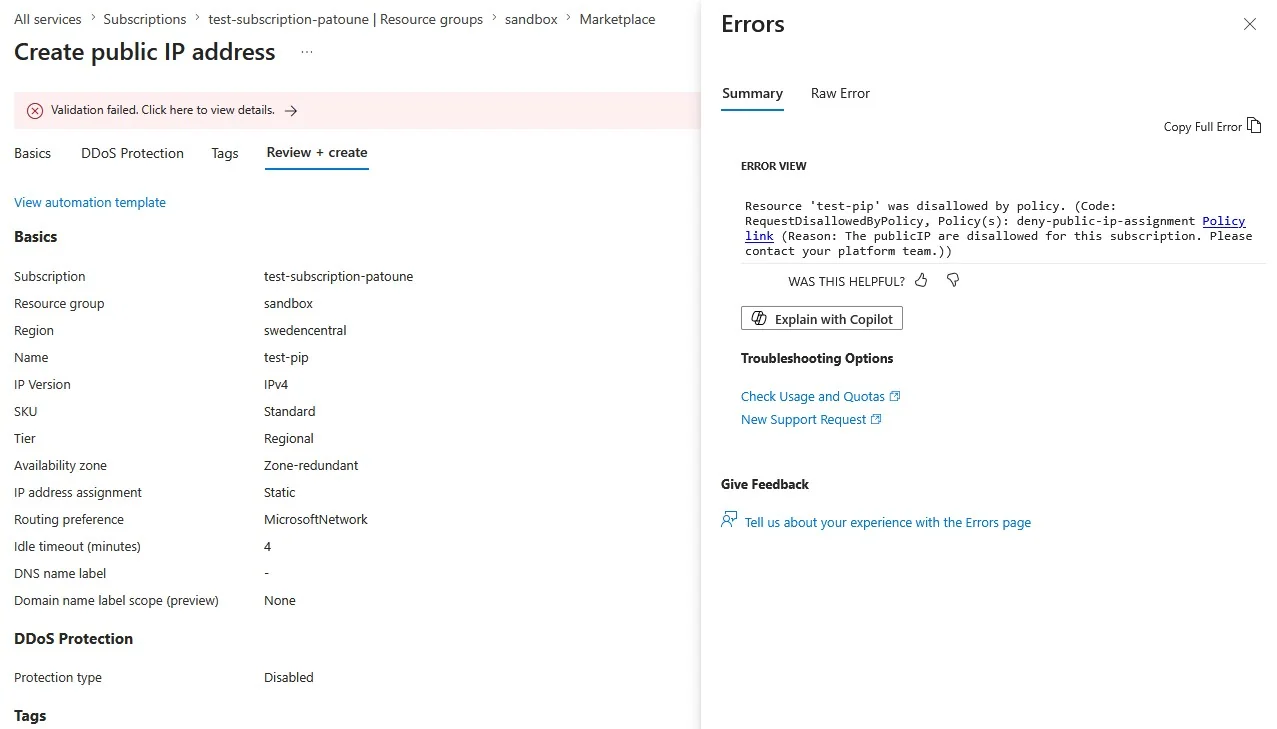
It is now much clearer and gives a functional meaning to the restriction.
Best practices#
Answer three questions: why it is blocked, what the alternative is, who to contact.
Include a link or a channel. A link to internal documentation or a Slack channel reduces resolution time.
Keep it short. ARM truncates messages that are too long. Aim for 200-300 characters maximum.
Adapt the level. The message is read by a developer facing a deployment error, not by the platform team.
Important limitation#
⚠️ NonComplianceMessage only works with the Deny effect. For Audit, AuditIfNotExists or DeployIfNotExists, the field is ignored.
A single field that can turn an opaque blocking experience into actionable feedback. Enable it on all your Deny policies.
- #azure
- #policy
- #governance